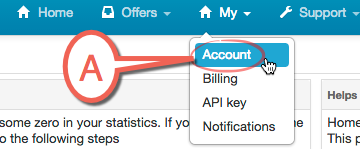
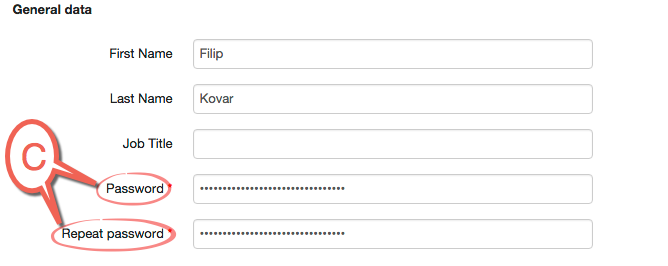
The password may be changed in the User management (My/Accounts). Select the user for whom the password needs to be changed. Then click on the “brush” icon (Edit user). A window will be opened where the user data may be edited, including the password.
Point A is My / Account
Point B click on the Edit user
Point C write a new password and repeat it