
Open the reports, then choose devices. Here you can choose the device filter, depends which type you want to show and choose time period. Next step just click on Run report.
This option is available only for standard link like this
"https://clicks.onlinedatingkings.com/?aff_id=xxxx&offer_id=xxxxx"
How to obtain this link you can read in topic how can I generate Tracking-Link with my own Marketing-ID ?
In case when you are using direct link from your WL, this statistic doesn't work.
STEP 1

STEP 2
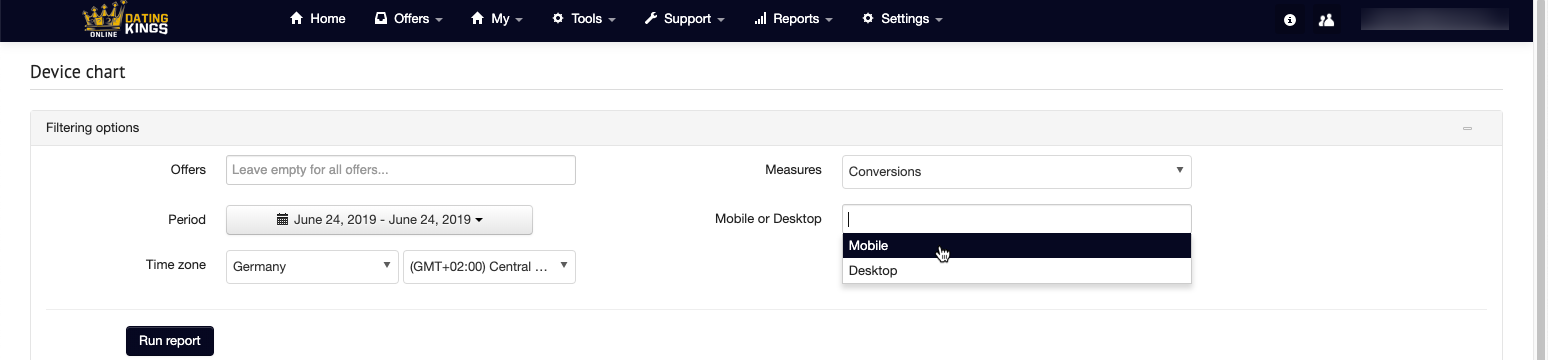
STEP 3
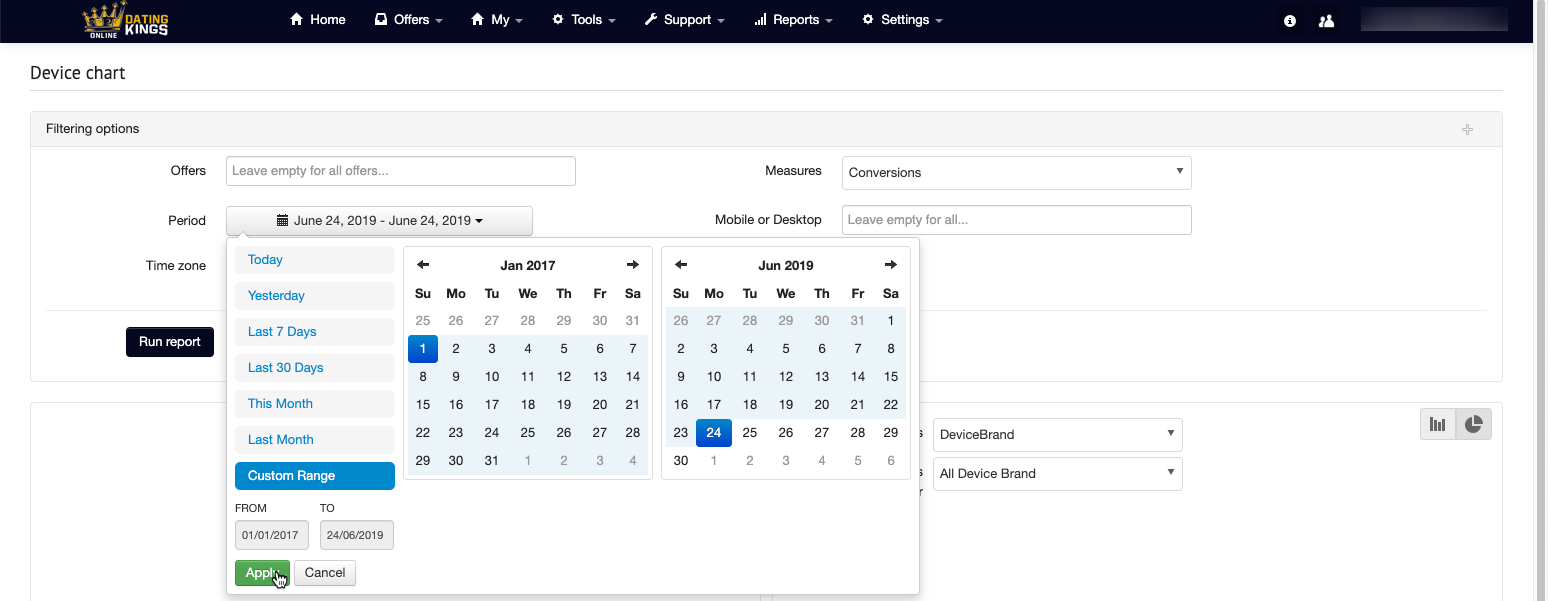
STEP 4
